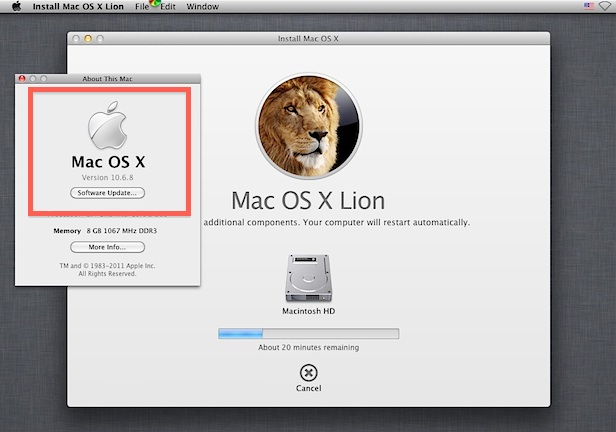
If you don’t want to deal with dual booting between Lion and Snow Leopard, another option is to run Mac OS X Lion in a virtual machine atop an older 10.6 Snow Leopard installation. This is not supposed to work with 10.6 without a quirky configuration, but it does, and it’s easy to do.
For the record, this also works in OS X Lion if you want to run a VM of Lion atop Lion for testing purposes or whatever, that is also perfectly acceptable in the EULA.
Requirements:
- VMWare (free 30 day trial)
- Mac OS X Lion installer app (re-download it from the Mac App Store)
VirtualBox and Parallels may work also if you’re installing Lion on top of an existing OS X Lion base, but it doesn’t seem to work with Lion on 10.6.
Installing OS X Lion in a Virtual Machine Over Snow Leopard
Proceed to install VMWare as usual, and make sure you have the OS X Lion installer .app somewhere that’s easy to access. Everything else is just as straight forward:
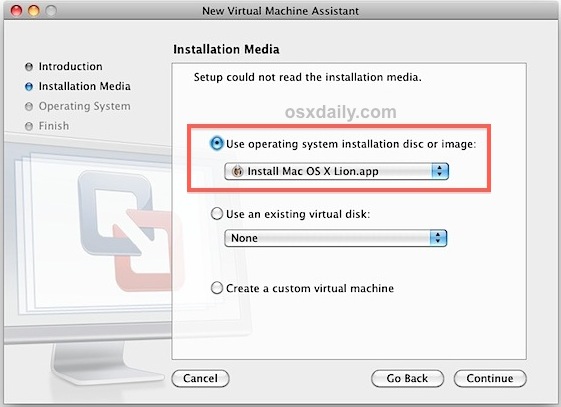
- Launch VMWare and use the Virtual Machine assistant to create a new VM, configure it how you want
- At the “Installation Media” section, drag and drop the OS X Lion Install.app into the window, so that “Use operating system disc or image” is checked and the ‘Install Mac OS X Lion.app’ is the media
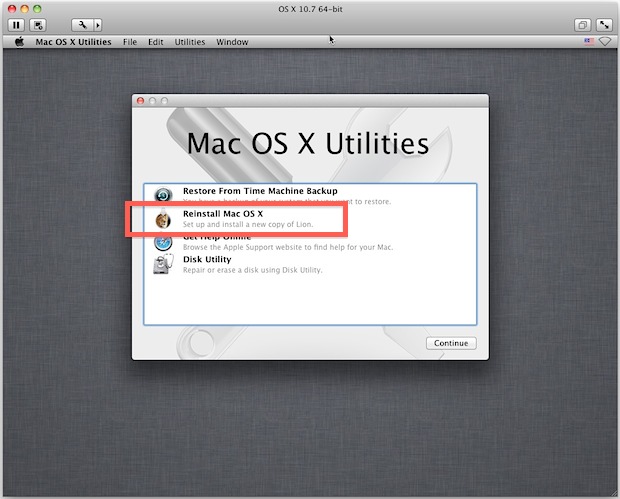
- Click on “Continue” and configure the VM, then boot it so the OS X Lion installer is loaded When Mac OS X Utilities is loaded, select “Reinstall Mac OS X” and click “Continue”, clicking through the familiar Lion installer
Don’t expect the virtual machine to perform at nearly the same level as a native installation, but it works if you’re in a pinch for quick testing. If you have a real need to run both Mac OS X 10.6 and 10.7 for app compatibility, you’d be best served using the dual boot method we mentioned before for performance reasons.

No comments:
Post a Comment