Materials:
Floppydrive
Floppydisk
NiBiTor "Provided" Right Click, Save Target As
NVFLASH "Provided" Right Click, Save Target As
------------------------------------------
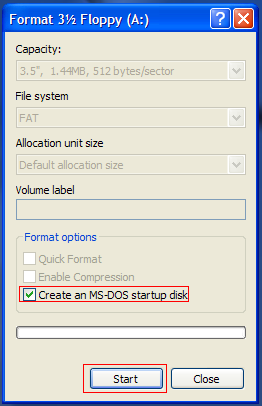
1) Make a MS-DOS bootable floppy "Start, My Computer, Right Click on floppy icon, format..."
3) Reboot, Boot from Floppydisk
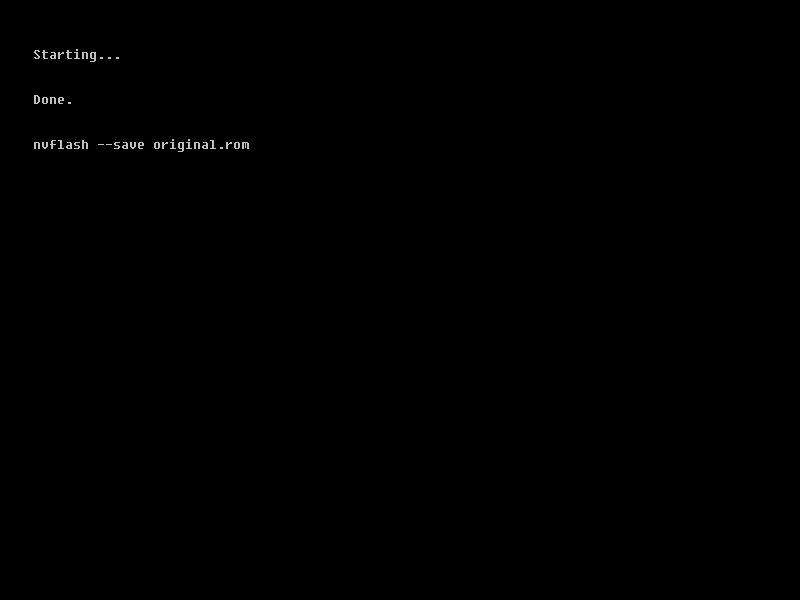
4) Type "nvflash --save original.rom" without Quotes This Makes a back up of the original bios
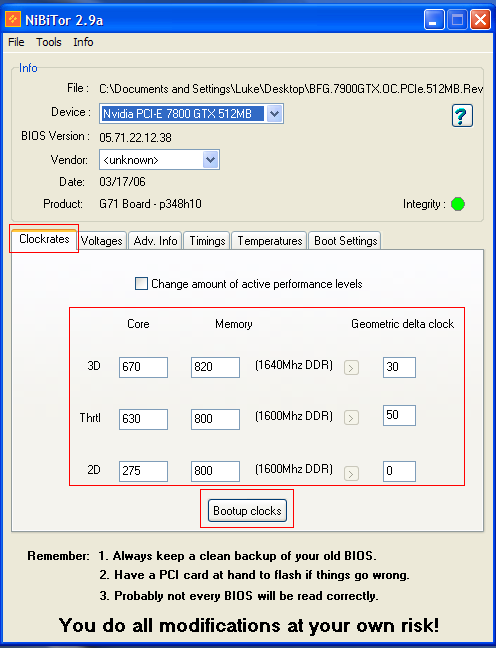
6) Open NiBiTor and change clock speeds
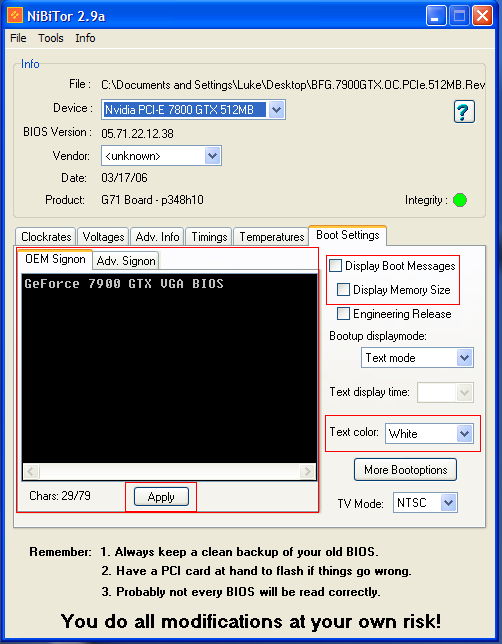
7) You can also edit your graphics card bootup text
9) Reboot, Boot from Floppydisk
10) Type "nvflash new.rom" without Quotes This loads your New Edited bios file.
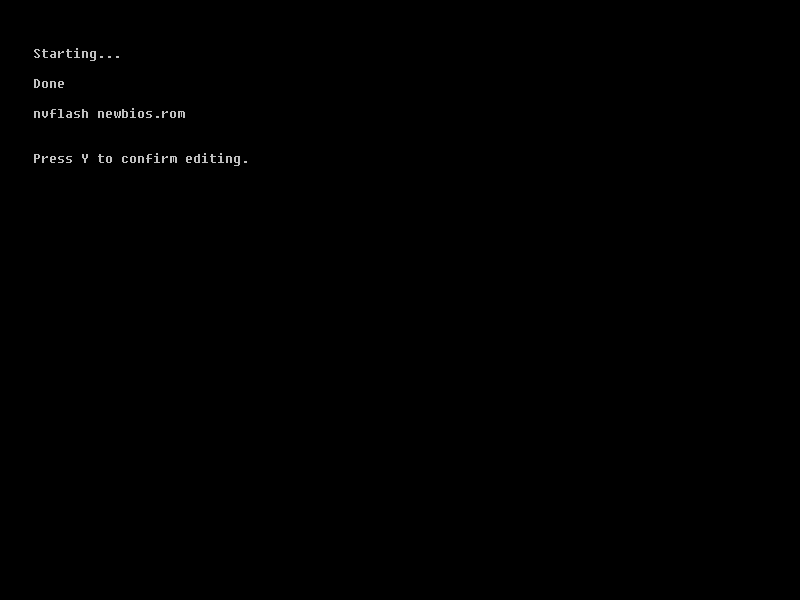
11) Press Y when confirmation comes up to signal yes
12) Press Ctrl Alt Delete when process is finished
13) Enjoy your new overclocked and custom bios !!!
REMEMBER TO KEEP THIS DISK IF SOMETHING GOES WRONG!!!
Editited June 22nd 2006:
1) Thanks for pointing out the images were to small
anjokid, they were hi-res and over 1mb so photobucket resized them LOL.
2) Added Download links for NiBiTor and nVFlash for easy access.
source

No comments:
Post a Comment